24/7 AI Reply Agent That
Turns Cold Email Replies Into
Booked Demos
It reads every reply. Writes back in your voice. Follows up until they book.
You just show up to the calls.
Seamlessly integrates with




Watch This Short Video For How This Works
Watch This Short Video For How This Works
24/7 AI Reply
Agent That Turns
Cold Email Replies
Into Booked
Demos
It reads every reply. Writes back in your voice. Follows up until they book.
You just show up to the calls.
Seamlessly integrates with
Watch This Short Video For How This Works
––– THE PROBLEM –––
How many replies are sitting in your inbox right now that should've been booked calls?
They replied ready to book. You took too long to respond.
5 high-intent replies waiting. No response sent. Deal lost.
How many more calls can you book if every lead was replied to in under 2 minutes, 24/7?
––– THE PROBLEM –––
How many replies are sitting in your inbox right now that should've been booked calls?
They replied ready to book. You took too long to respond.
How many more calls can you book if every lead was replied to in under 2 minutes, 24/7?
––– FEATURES –––
How Your Replies Become Booked Calls
Without You Lifting a Finger
The second a reply lands, InboxSDR takes over.
––– FEATURE 1
Train it to respond exactly like you would.
Upload your scripts, case studies, best replies, copywriting rules, company info, etc. When a lead asks about pricing or throws out an objection, it responds exactly like you would. You're not setting up a bot. You're creating a clone of you that books calls around the clock.
"Hey, what's the pricing for 10 seats?"
Test prospect"Hey! Pricing is custom to each client so I'd love to jump on a quick call to map it out for you. Cool if I shoot my calendar over?"
InboxSDR AITest unlimited scenarios before going live
––– FEATURE 2
Roleplay every scenario before a real lead ever sees it.
Let's be real: you're afraid of using AI and it sounding like....AI. The "AI Playground" lets you test EVERY possible scenario before you ever send a reply to a real lead. Throw objections, pricing questions, and curveball situations at it. Don't like how it responded? Edit the reply. That edit saves to your Knowledge Base and trains your agent to handle it better next time.
––– FEATURE 3
Reads every reply like a human would.
InboxSDR doesn't scan for keywords and fire off a pre-written template. It reads the full reply. Intent, tone, key questions, all checked against your Knowledge Base before it writes a single word. A lead says, "I'm interested, but I've been burned before"? It senses the hesitation and responds by acknowledging their past experiences before pivoting to booking a call.
"Hey - this looks interesting but we're locked into a contract until Q3. Could you send over a comparison doc? Also curious about pricing for 10+ seats."
––– FEATURE 4
Scores every reply so you only talk to buyers.
Every reply is scored from 1–10 based on how likely they are to book a call, and you set the minimum threshold. High-intent leads get instant, personalized replies within 3 minutes while low-intent noise like OOO messages, newsletters, and unsubscribes are automatically filtered out - so you never waste a send and only engage with people ready to buy.
––– FEATURE 5
Writes back in your voice. Not a robot's.
Every reply sounds like it came from you...LITERALLY. Not a robotic "Dear Sir/Madam" that screams AI that gets eye rolls. Your words. Your tone. Your personality. Put an InboxSDR reply next to one you wrote yourself. You won't be able to tell which is which.
"Hey! Thanks for getting back to me. Totally understand the timing concern - most of our clients felt the same way before seeing the ROI. Want to hop on a quick 15-min call this week so I can show you?"
"Hey! Appreciate you getting back to me. The timing question comes up a lot - most teams we work with had the same thought before seeing what it does in practice. Want to grab 15 minutes this week for a quick walkthrough?"
"That sounds interesting - can we get on a call this week to discuss pricing?"
"Hey Sarah! Great to hear. I'd love to walk you through our pricing. Here's my calendar link for this week..."
––– FEATURE 6
Responds in under 3 minutes. Even at 3am.
A lead replies at 3am on a Friday. Your team's offline. By Monday, they booked with someone else. InboxSDR replies in under 3 minutes. Weekends. Holidays. 3am. The leads that used to die in your inbox are booking calls while you sleep. Literally.
––– FEATURE 7
When they stop replying, InboxSDR doesn't.
How many booked calls fell through the cracks because the lead ghosted you. They asked "what's your pricing?" You responded. Then crickets. That's not a lost lead. That's lost revenue. InboxSDR lets you build custom follow-up workflows designed to re-engage "dead" leads and get them to book.
AI handles everything. You just watch the booked calls roll in.
Most teams switch to Full Auto within a week
––– FEATURE 8
Fully autonomous. But you're always in control.
Turn it on and InboxSDR runs everything. Every reply. Every follow-up. Every booked call. All in the background while you run your business. Want to review before it sends? Review Mode is one click away. Most people turn it off within a week once they see how good it truly is.
––– FEATURE 9
Plugs into the tools you already use.
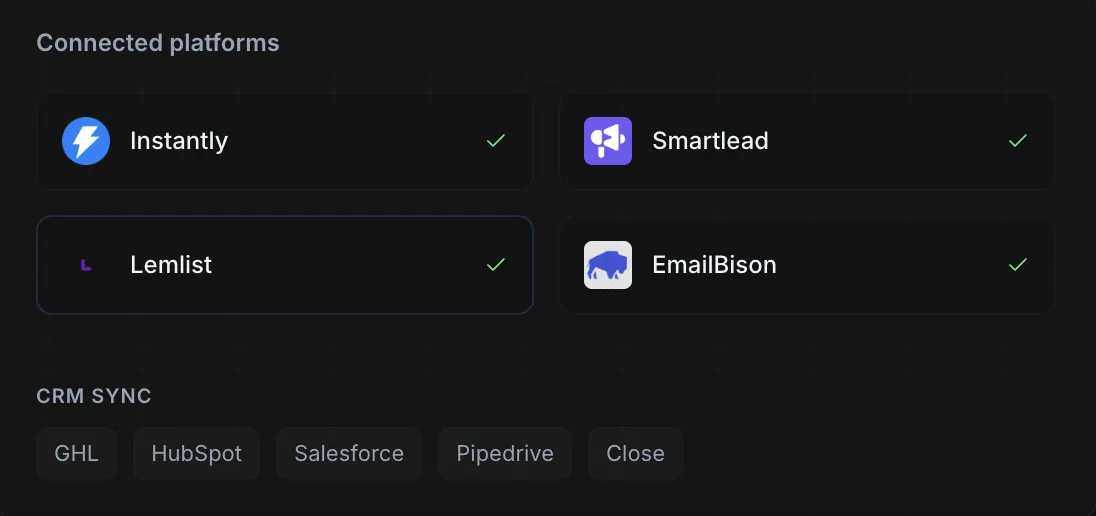
Connects to Instantly, Smartlead, Lemlist, and EmailBison via webhook in about 2 minutes. Syncs booked meetings and lead statuses with GHL, HubSpot, Salesforce, Pipedrive, and Close. No migration. No new platform. Just more booked meetings from the tools you already pay for.
––– FEATURES –––
How Your Replies Become Booked Calls
Without You Lifting a Finger
The second a reply lands, InboxSDR takes over.
––– FEATURE 1
Train it to respond exactly like you would.
Upload your scripts, case studies, best replies, and company overview to your Knowledge Base. When a lead asks about pricing or throws out an objection, it responds exactly like you would. You're not setting up a bot. You're creating a clone of you that books calls around the clock.
––– FEATURE 2
Roleplay every scenario before a real lead ever sees it.
The "AI Playground" lets you test every scenario before a real lead ever sees a response. Throw objections, pricing questions, and curveball situations at it. Don't like how it responded? Edit the reply. That edit saves to your Knowledge Base and trains your agent to handle it better next time.
"Hey, what's the pricing for 10 seats?"
Test prospect"Hey! Pricing is custom to each client so I'd love to jump on a quick call to map it out for you. Cool if I shoot my calendar over?"
InboxSDR AITest unlimited scenarios before going live
––– FEATURE 3
Reads every reply like a human would.
InboxSDR doesn't scan for keywords and fire off a pre-written template. It reads, analyzes, and understands the full reply. Intent, tone, key questions, all checked against your Knowledge Base before it writes a single word. A lead says, "I'm interested, but I've been burned before"? It senses the hesitation and responds by acknowledging their past experiences before pivoting to booking a call.
"Hey - this looks interesting but we're locked into a contract until Q3. Could you send over a comparison doc? Also curious about pricing for 10+ seats."
––– FEATURE 4
Scores every reply so you only talk to buyers.
Every reply is scored from 1–10 based on how likely they are to book a call, and you set the minimum threshold. High-intent leads get instant, personalized replies within 3 minutes while low-intent noise like OOO messages, newsletters, and unsubscribes are automatically filtered out - so you never waste a send and only engage with people ready to buy.
––– FEATURE 5
Writes back in your voice. Not a robot's.
Every reply sounds like it came from you...LITERALLY. Not a robotic "Dear Sir/Madam" that screams AI that gets eye rolls. Your words. Your tone. Your personality. Put an InboxSDR reply next to one you wrote yourself. You won't be able to tell which is which.
"Hey! Thanks for getting back to me. Totally understand the timing concern - most of our clients felt the same way before seeing the ROI. Want to hop on a quick 15-min call this week so I can show you?"
"Hey! Appreciate you getting back to me. The timing question comes up a lot - most teams we work with had the same thought before seeing what it does in practice. Want to grab 15 minutes this week for a quick walkthrough?"
––– FEATURE 6
Responds in under 3 minutes. Even at 3am.
A lead replies at 3am on a Friday. Your team's offline. By Monday, they booked with someone else. InboxSDR replies in under 3 minutes. Weekends. Holidays. 3am. The leads that used to die in your inbox are booking calls while you sleep. Literally.
"That sounds interesting - can we get on a call this week to discuss pricing?"
"Hey Sarah! Great to hear. I'd love to walk you through our pricing. Here's my calendar link for this week..."
––– FEATURE 7
When they stop replying, InboxSDR doesn't.
How many booked calls fell through the cracks because the lead ghosted you. They asked "what's your pricing?" You responded. Then crickets. That's not a lost lead. That's lost revenue. InboxSDR lets you build custom follow-up workflows designed to re-engage "dead" leads and get them to book.
––– FEATURE 8
Fully autonomous. But you're always in control.
Turn it on and InboxSDR runs everything. Every reply. Every follow-up. Every booked call. All in the background while you run your business. Want to review before it sends? Review Mode is one click away. Most people turn it off within a week once they see how good it truly is.
AI handles everything. You just watch the booked calls roll in.
Most teams switch to Full Auto within a week
––– FEATURE 9
Plugs into the tools you already use.
Connects to Instantly, Smartlead, Lemlist, and EmailBison via webhook in about 2 minutes. Syncs booked meetings and lead statuses with GHL, HubSpot, Salesforce, Pipedrive, and Close. No migration. No new platform. Just more booked meetings from the tools you already pay for.
––– BUILT FOR –––
If this sounds like you, we should talk.
Lead Gen Agencies
You're managing 20, 50, maybe 100+ inboxes across multiple clients. Replies are falling through the cracks. Your SDR can't keep up or you're paying multiple SDRs to manually reply...which gets expensive. (and you still get frustrated when they inevitably miss replies)
InboxSDR handles every inbox, every reply, every client.. No more hiring SDRs or VAs to manually sit and respond.
B2B Sales Teams
Your SDRs are drowning in replies but only booking a fraction of the meetings they should. The hot leads that come in at night or on weekends? Gone by Monday.
InboxSDR responds in under 2 minutes, scores every reply by intent, and only puts real buyers on your calendar. Your team focuses on closing, not chasing.
Solo Founders Running Outbound
You're the CEO, the sales team, and the inbox manager all in one. You set up campaigns on Instantly or Smartlead, replies start coming in, and then... you can't keep up.
InboxSDR becomes your entire reply team. Set it up once and go back to running your business.
Their reply tools are a feature.
This is the whole system.
Instantly, Smartlead, and Lemlist all added AI reply features. But there's a difference between bolting on a feature and building the whole system around it.
Here's what that looks like in practice.
They built reply features. We built the reply system.
––– HOW IT WORKS –––
If you can copy and paste, you can set this up.
Live in under 10 minutes. No code. No developers. No headaches.
1
Connect your cold email tool
Grab the webhook URL we give you & paste it into Instantly, Smartlead, etc.. Takes about 2 minutes.
2
Train Your Reply Agent
Upload your best replies, scripts, and product knowledge to essentially "clone" yourself.
3
Test it in the Playground
Simulate real conversations and fine-tune before going live.
4
Turn it on
Once you feel confident, turn on auto-reply and start booking calls.
––– WHY INBOXSDR –––
Why InboxSDR beats a human SDR every time.
Responds to every reply
Responds in under 2 minutes
Scores buyer intent automatically
Works nights, weekends, and holidays
Follows up until they book or unsubscribe
Learns your tone and gets better over time
Handles unlimited campaigns at once
Never calls in sick, quits, or needs training
Human SDR
InboxSDR
Human SDR
InboxSDR
Responds to every reply
Responds in under 2 minutes
Scores buyer intent automatically
Works nights, weekends, and holidays
Follows up until they book or unsubscribe
Learns your tone and gets better over time
Handles unlimited campaigns at once
Never calls in sick, quits, or needs training
––– FAQ –––
Frequently Asked Questions
Answer These Questions First
Calendar will pop up once you submit this form
© 2026 InboxSDR. All rights reserved.
This site is not a part of the Facebook website or Facebook Inc. Additionally, this site is not endorsed by Facebook in any way. FACEBOOK is a trademark of FACEBOOK, Inc.
Copyright © 2026 InboxSDR.AI. All rights reserved.